
Gear | Links | Productivity | Software
10+ iPad Apps for Students
Note: This article was published while I was in my early 20s. I was much younger and dumber. Please don't hold it against me. One of the perils of having a 20+ year old website!
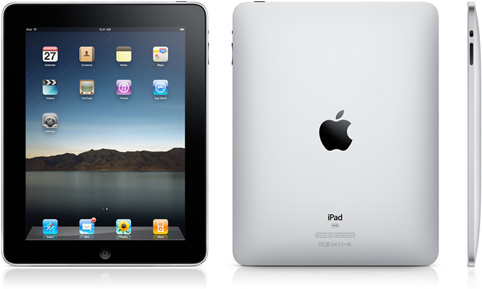
With college starting up again after the holiday break and what I’m sure is many students heading back to school with a shiny new iPad, I figured it might be good to offer a list of apps I’d find useful as a student.
- Penultimate: By far the best note taking app I’ve found. You can choose between several pens, inks, and paper types, and the writing is incredibly smooth when using a stylus or your finger. Highly recommended! ($0.99)
- Kindle/iBooks: Since both apps are free, they are definitely worth the pick up. Books are generally cheaper than their printed counterparts in either store, and the apps afford you the opportunity to lighten your book load so you’re not carrying around a bunch of 600-page hardcover textbooks all day. (free)
- Evernote: Great note taking app that allows you to record sound, add photos, and more. Plus, you can sync with a free online account and with other devices, like  your laptop, iPhone or Android phone. (free)
- Pages/Keynote: Make editing papers or presentations on the go easier with these 2 apps. The Mac versions of Word and Powerpoint are pretty great if you have some downtime between classes, or you realize you forgot a slide right before that class where you’re making a big presentation. ($9.99 each)
- Dropbox: Dropbox may be my favorite app. Download it on your computer to sync folders to an online account. With Dropbox for iPad (or iPhone or Android), you can access those files and if you have the right app, modify them. Dropbox is free up to 2+ GB and incredibly handy if you’re running around to a bunch of computers on campus every day. (free)
- iStudiez: This neat little app is a great planner for students who like to keep everything in one place. Add courses, instructors, and assignments (with grades/weights). Organized into a really nice interface, you can get a good view of your day-to-day schedule with upcoming assignments & reminders. The free version limits you to 1 semester, 3 courses, and 7 assignments, but is a nice way to try before you buy. (free/$2.99)
- Dictionary.Com: A handy reference for any student to have with him/her. Get everything you can get on the website right on your iPad (without an Internet connection). (free)
- Angry Birds: It just wouldn’t be an iPad app list if I didn’t mention Angry Birds. As a part time college professor myself, I should mention not to play this in class, but that it’s a good way to relax in between classes or if you need a break! Fun, addicting, and worth the $5. ($4.99)
- (Honorable Mention) iAnnotate: This gets honorable mention because I’m not sure students will use it enough to warrant the $10 price tag. iAnnotate provides a really easy way to mark up and modify PDFs. If your professor sends you a PDF, you can make notes right on your iPad with it. It also integrates very nicely with Dropbox. ($9.99)
Students! Do you have an iPad? What do you use to keep organized? Sound off in the comments.
