
Android’s Web Based Market
 A few weeks ago, the fine folks at Google announced the web based version of their Android Market. Much like the iPhone/iPad App Store in iTunes, the online Android Market let’s you browse from your computer and install apps on your phone. The main difference, and it’s a big one, is there is no sync required. Click install on the web, it gets installed on your phone.
There is only one word to describe this: Awesome. I’ved used it quite a few times since it was announced. How does it work, you ask? It’s actually very simple.
When you first start your Android device, you associate it with a Google Account. You sign in with your Gmail address and all of your information (email, contacts, etc) is synced. This same, tight integration is applied to the web-based Android Market. You go to market.android.com and sign in with your Gmail address and password, and that’s it! Your phones, tablets, and apps are all there for your review. When you come across an app you want, just click “Install” (or “Buy”):
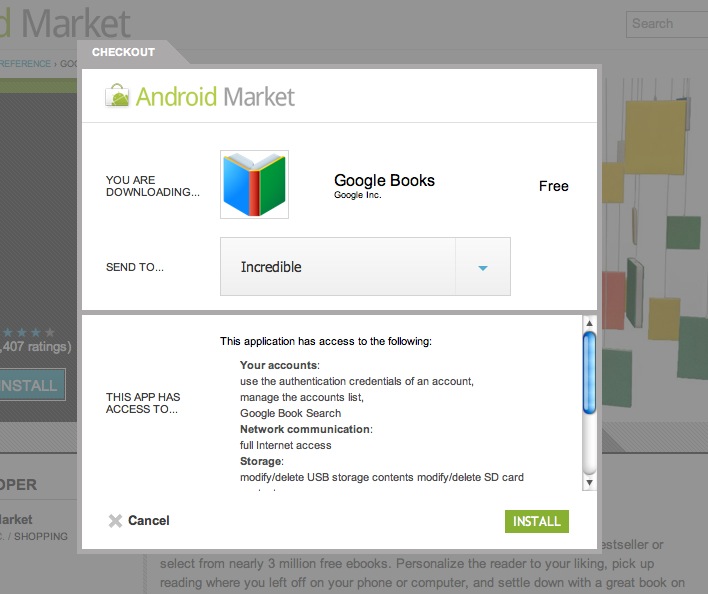
Once you click install, the download will begin on the phone or tablet you chose, no matter where it is; no syncing required.
I should also note that there is a similar service out there called AppBrian, which I’ve mentioned on the blog previously. While there isn’t as strong integration as there is on the Android Market, there are a few features that keep me using it. You can see a head-to-head match up of  the two over at Android.Appstorm.Net.
