
How to Build Better Web Pages in WordPress
When I was creating the website for my new project WP in One Month, I wanted to make sure the home page was diverse with content, different sections, and a lot of information. As a WordPress developer, I could have built a completely custom page template with custom fields for each section, and I could have made use of one of the many plugins to do that. However, I also wanted to get the site up and running quickly. I was pivoting the business and wanted to focus more on executing ideas than on developing the website (I know many developers can relate to me here). I opted instead to build a simple child theme from the theme Ward and use a page building plugin called Beaver Builder. It saved me literally hours of development and gives me lots of flexibility.
The WordPress editor is a great tool for writing and formatting text, adding images, and more. However, when it comes to creating complex page layouts, you need more that what the editor can offer. This makes perfect sense – the WordPress editor is for writing! But sometimes you need something more than just an editor, and that’s where Beaver Builder comes in.
What is Beaver Builder?
Beaver Builder is a powerful, flexible page builder that allows you to easily create complex web pages.
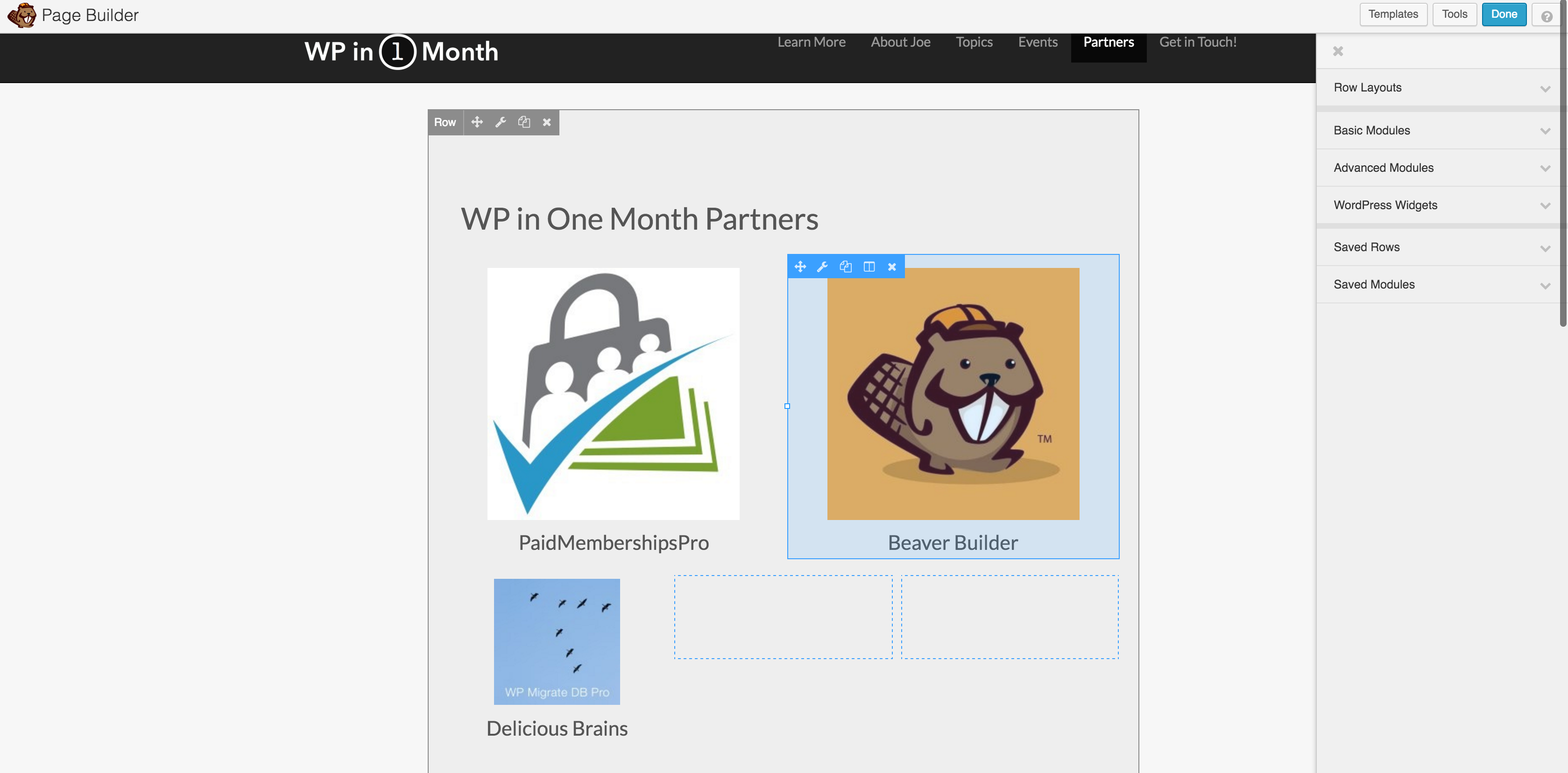
Once you install and activate it, you can use its drag and drop interface to create new, complex, memorable pages using one of the many templates or modules. There are lots of examples of Beaver Builder-driven sites, including WP in One Month and Manifest Development.
What to Know More?
You’re in luck! I am offering a free webinar on how to build a 3-page site using Beaver Builder. You can register here. Hurry! Space is limited.
Here’s an outline of the webinar:
- The Current WordPress Editor
- Walk through what it can and can’t do
- Talk about shortcakes
- What is Beaver Builder?
- What are Page Builders?
- Plans & Pricing
- Demo Primer
- Walk through Setup
- Download & Install
- Walk through settings
- Common Terms
- Templates
- Modules
- Rows and Columns
- Walk through Setup
- Demo
- Make a Home Page
- Use built-in template
- Highlight modules
- Make an About Page
- Create from Scratch
- Use Modules & Widgets
- Create Contact Page
- Insert form via shortcode
- Make a Home Page
Register Today!
Beaver Builder is a WP in One Month partner
