
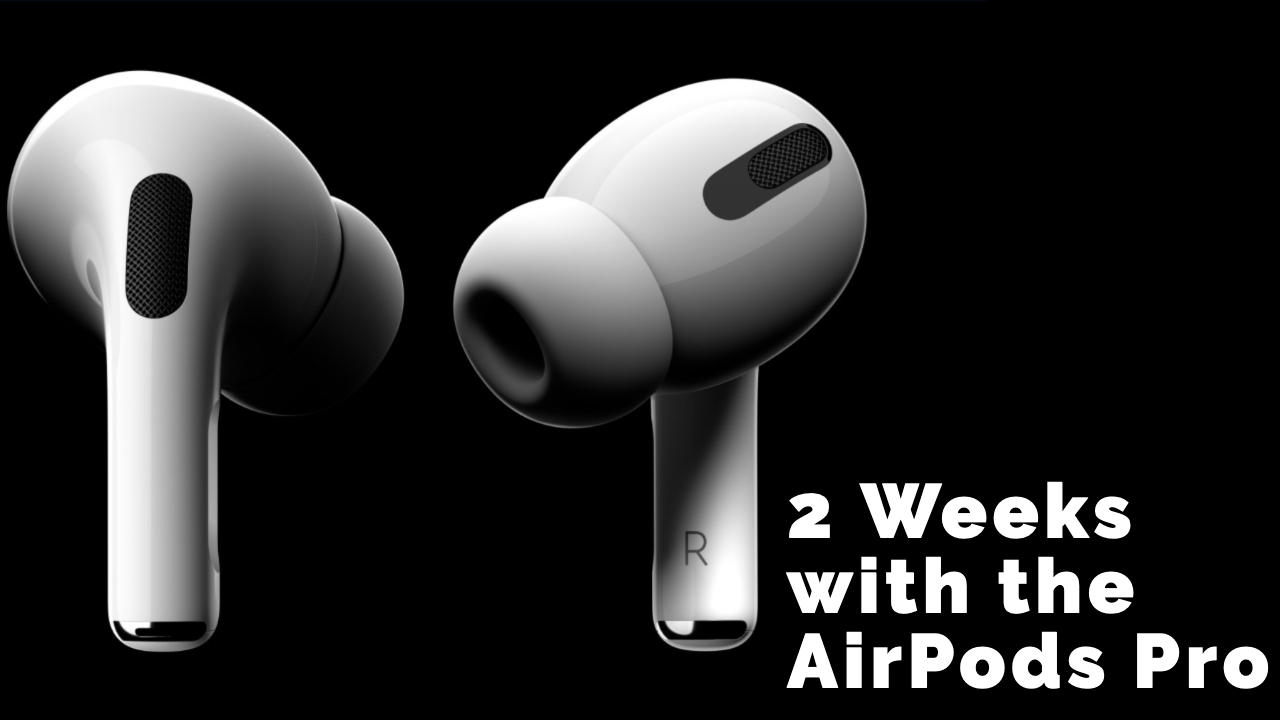
2 Weeks with the AirPods Pro

My Thoughts on the AirPods Pro 2 Weeks in…

I’ve had the AirPods Pro for 2 weeks and have taken them on planes, trains, and automobiles. Well…not trains. But planes, cars, conferences, and coffee shops! Let’s see how they measure up.

Watch the Video

Ticking all the Boxes

I recommend these on my gift guide for people who work from home, and for good reason. What attracted me to the AirPods Pro is that they ticked all the boxes for me:

  1. I don’t need to bring 2 sets of headphones with me.
  2. There’s an air-pressure release so I don’t get a headache.
  3. Transparent mode so I can hear without taking them out.
  4. Water resistant to sweat when I work out.
  5. An app that checks their fit/seal to make sure you’re using the right attachment, so they don’t fall out when you work out.

So how did they measure up? I talk at-length in the video, but here are the big talking points:

Noise Cancelling in AirPods Pro

The noise cancelling is good (but not perfect). Still, it’s good enough for me. I’m happy with them and will be traveling with only them.

I’ve used the AirPods Pro on planes, in coffee shops, at the gym, and more. They are really good at filtering out consistent noise (like a jet fan) or general room noise. If someone gets really loud, they might fail. That’s fine by me.

Transparent Mode

I use it a lot. Not usually when I’m talking to someone because it looks rude, but if there’s an announcement or I want to hear something, I flip it on.

No Headache!

These are the first noise cancelling headphones I’ve used where I haven’t gotten a headache while using them. That’s incredibly exciting for me – especially because I prefer to use them for hours at a time.

They Stay in my Ears

Finally, I’m happy to report these stay in my ears really well. I’ve used them at the gym with no issue (after this video was recorded), and I fell asleep on my last flight with them in and they stayed put.

Check out the Video

If you’d like to get my full thoughts, check out the video above. Are you thinking of getting AirPods Pro? Have any specific questions? Let me know in the comments!

Similar Posts

  • You’re Already Automating

    https://www.youtube.com/embed/sSwg8bPl_r4 “Automation seems hard, scary, complicated.” I hear that all the time. But here's the thing…you're probably already doing it. Here are 4 things I bet you've set up that totally count as automation: Automatic bill pay. It’s right in the name — automatic. A bill gets paid without you taking any action? You’re automating….

  • This iPhone Hack Instantly Clips Any Podcast Moment

    https://www.youtube.com/embed/SmElQ_sRmlU Are you tired of losing that perfect podcast moment? Stop wrestling with clunky apps like Pod Highlighter or complicated, multi-step shortcuts just to get a simple note or transcript. In this video, I reveal a game-changing new tool called Podcast Magic (from the fine folks at Sublime App) that instantly delivers an audio clip…

  • I Automated My Entire Website With One Zap

    Ever wish your website could just update itself ? In this tutorial, I’ll show you exactly how to use Zapier to automatically publish new items from your RSS feed to your WordPress site — no code required. You’ll learn: ? How to find your RSS feed (for podcasts, blogs, or YouTube) ? How to create…

  • 3 Steps to Start Automating with Zapier

    “I know I need to automate… but where do I start?” Sound familiar? This is one of the most common questions I hear. And I get it. It’s like walking into a giant grocery store and being told: “Make me something to eat.” No recipe. No direction. Just endless possibilities — and paralysis. So here’s…

  • How Often do my Zaps Run?

    Timing is the unsung hero of automation. A lot of people talk about triggers, actions, and conditions—but there's a fourth component that gets overlooked: WHEN the automation runs. That timing decision changes everything. For example, if someone joins your mailing list and you promised them a PDF—they expect that delivery to be instant. Same thing…

  • Automated Email Replies

    I built an automation that replies to emails when I’m not at my desk… and it still feels personal. Here’s how it works ? When someone on my list replies to an email with the word "template" (I specifically ask them to do this if they want my VA template), a Gmail search looks for…