Simplifying my iPhone Home Screen

Since widgets came out with iOS 15, I’ve been obsessed with finding the right amount of information to fit on that screen…the perfect combo of accessibility and glanceability.

I had multiple pages, customizable by focus modes, with widgets galore…until a few days ago.

I came to a realization that I wasn’t using most of the widgets and the multiple pages made it harder for me to find what I wanted quickly.

So I decided to do 2 things:

  1. Simplify my home screens to be 1 page + the App Library1
  2. Make use of the hidden “Today” screen for widgets I want to reference or use but don’t always want to see.

The result is this:
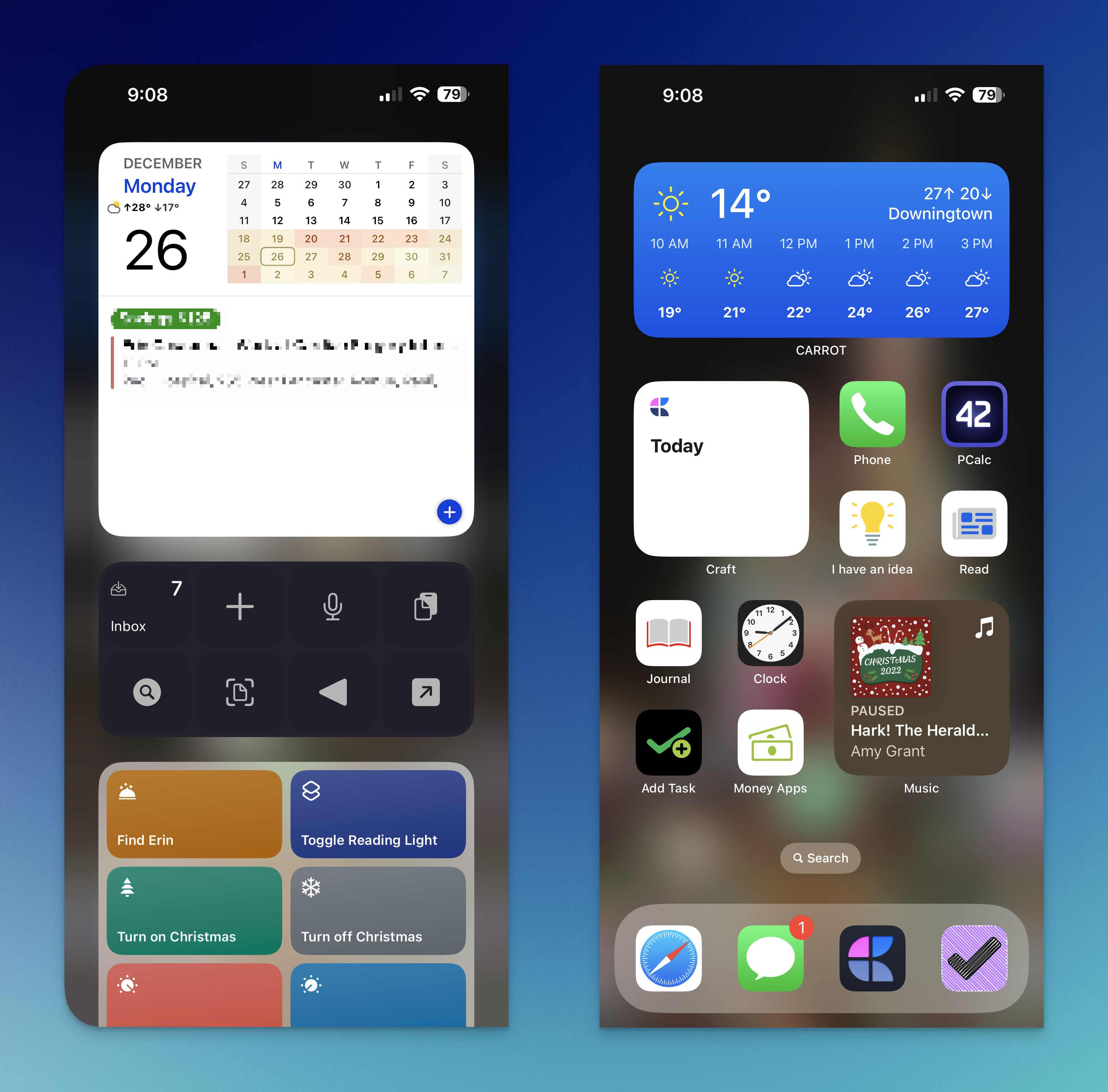
My Today screen and sole Home Screen page

The left shows the Today screen, which includes the big calendar widget with all of my appointments and such. It also includes:

  1. Drafts’ quick actions widget for fast input
  2. A shortcuts widget for commonly used shortcuts I don’t keep on my Home Screen.
  3. And then below the fold, a number of Home+ widgets for controlling my home and scenes.

The right show’s my sole Home Screen page, which includes:

  1. A medium widget stack with CARROT Weather, another calendar widget with just the date and upcoming appointments, and recent Drafts
  2. A small widget stack with links to my Dashboard and the Today note in Craft
  3. A small widget stack with Apple Music and Overcast.

The icons, from top to bottom and left to right are:

  1. The Phone
  2. PCalc (the best calculator app)
  3. The “I have an idea” shortcut, which takes text or voice input and adds a Draft and a note to Craft
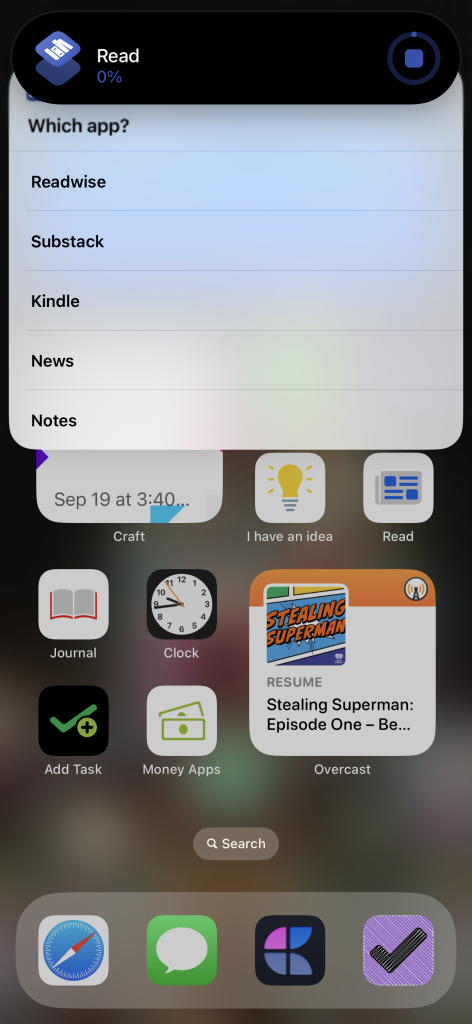
  4. The “Read” shortcut, which gives me a list of reading apps, including Reader by Readies, Substack, Kindle, News, and a link to my unsorted notes in Craft
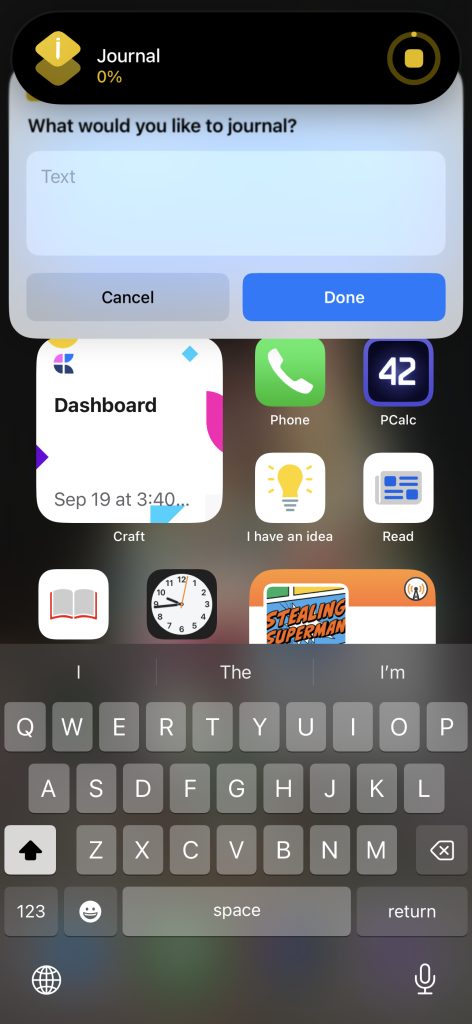
  5. The “Journal” shortcut, which takes text or voice input and adds a bullet item to my today note in Craft2
  6. The Clock app, so I can see the time down to the second.
  7. The “Add Task” shortcut, which creates a new task in Omnifocus
  8. The “Money” shortcut, which gives me a list of all the financial apps I check each morning

And then the dock: Safari, Messages, Craft, Omnifocus.

A couple of bonus screenshots:
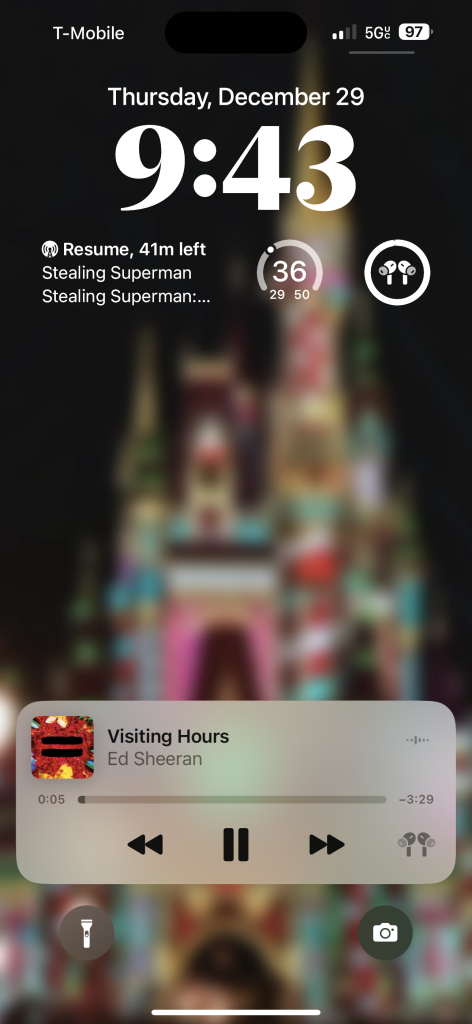
I’d love to know: what does your iPhone home screen look like? Do you use widgets? And what about the Lock Screen?

  1. I still have some specific pages for Focus Modes like Travel and “Green Zone,” but the same rules apply. ?
  2. I’m trying to journal more but not in any kind of formal process. Just random thoughts throughout the day. ?

Similar Posts

  • |

    Why I Reuse Talks

    Recently at one of the many WordCamps I’ve attended this year, the topic of reusing talks came up. It’s no secret I’ve been reusing my Responsive Design and WordPress talk at several events (not just WordCamps) but during the discussion a few folks mentioned that they will only give a talk once or twice, and there…

  • |

    Baseball Soon

    Note: This article was published while I was in my early 20s. I was much younger and dumber. Please don’t hold it against me. One of the perils of having a 20+ year old website!  Baby, originally uploaded by jcasabona. I was looking through my Baseball photos and came across this one, which I took…

  • |

    50K Downloads & More Coming to How I Built It

    Last summer I was at a crossroads with WP in One Month. In-person courses didn’t work, the webinars were running their course but that wasn’t a sustainable business model. I started having conversations with some great folks in the community – Matt Medeiros, Cory Miller, and Shawn Hesketh just to name a few. These conversations taught me…

  • | |

    The Web Designer’s Guide to Google Glass

    Yesterday, Web Design Tuts+ (@wdtuts) published a somewhat lengthly article I wrote about designing websites for Google Glass. I cover quite a bit, from device usage, to UX, to Mobile First and RWD. From the article: …we as web developers should be mindful of how we develop our websites. As it turns out, the principles…

  • |

    Coding Process

    Note: This article was published while I was in my early 20s. I was much younger and dumber. Please don’t hold it against me. One of the perils of having a 20+ year old website!Here is a paper I recently found. It’s on my coding process (after being a coder for about 2.5 months), and…

  • What I’m Working on (September 2023)

    I thought I’d switch things up this week and tell you what I’m working on, since we’re at the halfway point of the month. If you like this sort of format, let me know! First up, it’s iPhone pre-order day! I got the iPhone 15 Pro Max in Titanium Blue, the Ocean Blue Ultra watch…