
I’m Switching From Canva Back to Photoshop
As I write this, I’m listening to the new blink-182 album, One More Time. It’s their first album with the original lineup since 2011. A truly excellent birthday present.
Earlier this week I made the decision to ditch Canva for Adobe Photoshop. There were a few contributing factors:
- Every time I create something in Canva, I find myself struggling to do what would be very simple in Photoshop…like gradients. Seriously, Canva. How do you not support gradients?
- While I was using Canva for presentations too, I find myself missing Keynote.
- Adobe’s new AI tools are amazing and Canva’s are…not.
- If you pay for just Photoshop, it’s actually cheaper than Canva.
- Paying for Photoshop allows me to also cancel my Midjourney subscription, so I’m cutting costs by more than half.
My thought is that Photoshop does everything I need Canva to do, and SO much more, so much better.
Plus I can still use the free version of Canva for literally everything I use it for. The only difference (for me) is the use of PRO assets in images — something I’ll be able to use with Adobe’s resource, or Envato Elements.
I do have some referral credits (I think…I can’t actually access them while my Pro account is active).
One thing that always bothered me about Canva’s referral program is you can only use credits on pro assets…unless something like Airtable, you can’t actually use credits for a Pro account.
This renders the referral program totally useless for their most ardent fans.
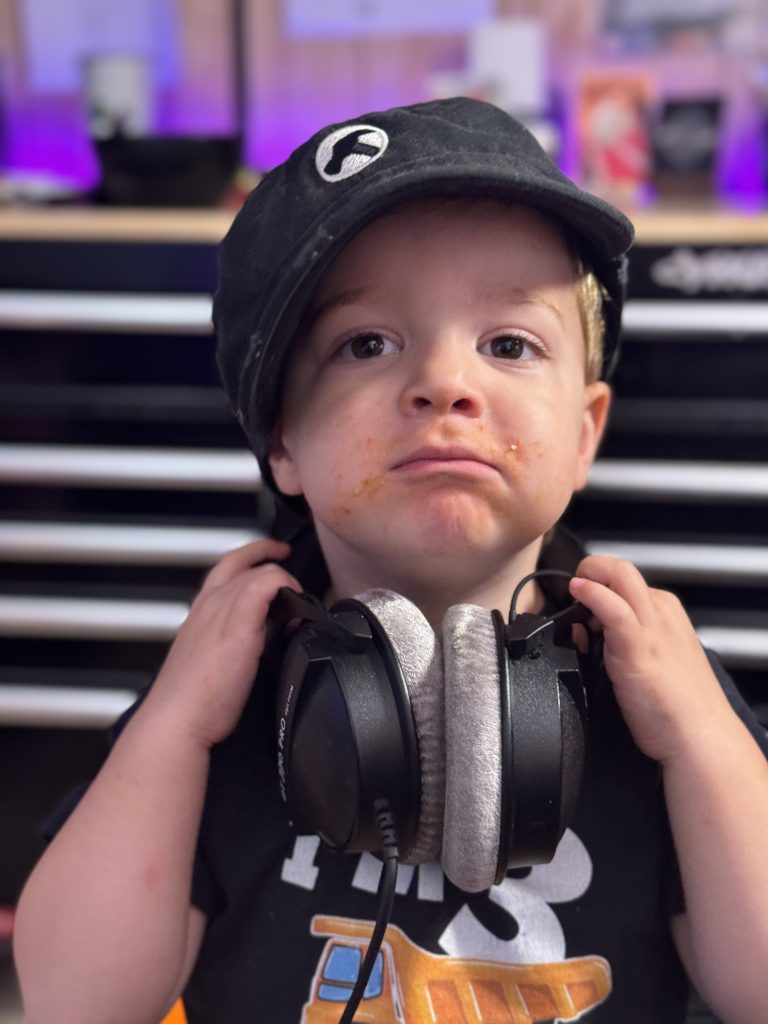
Anyway, here’s some of the fun I’ve been having with Photoshop. Original Photo:
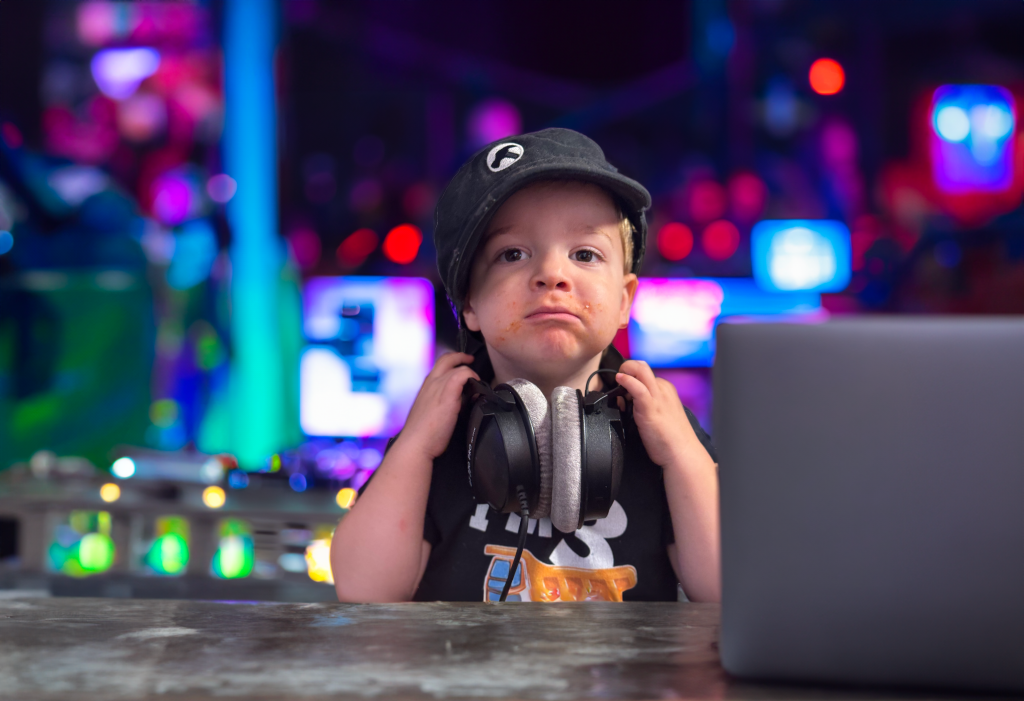
Photoshop with a heavy lift from AI:
They also rolled out Firefly, their text-to-image AI. Here’s what I got for the following prompt, first in Midjourney, then in Firefly:
An illustration of a person in a pristine white room with an orange microphone, recording a podcast episode
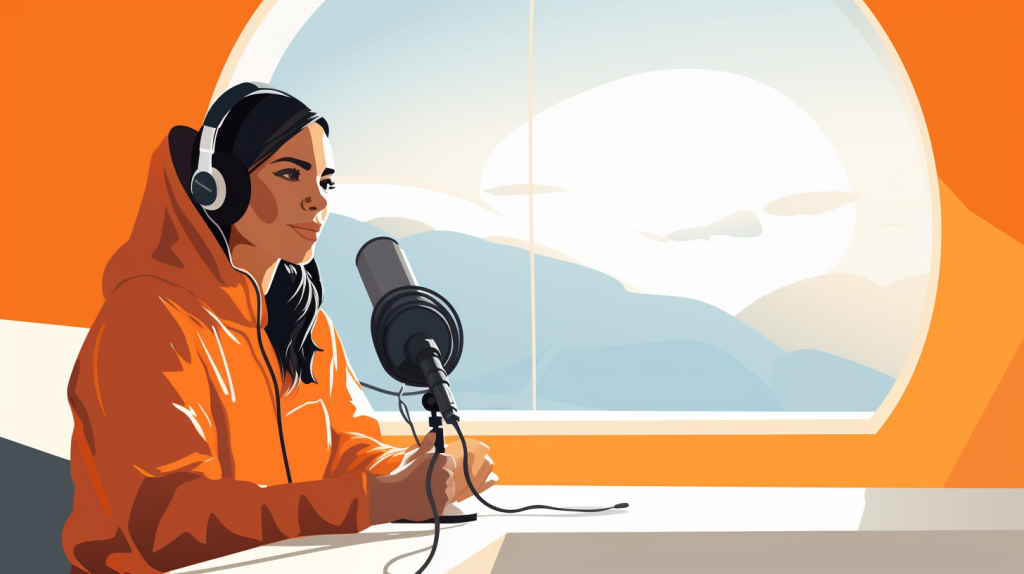
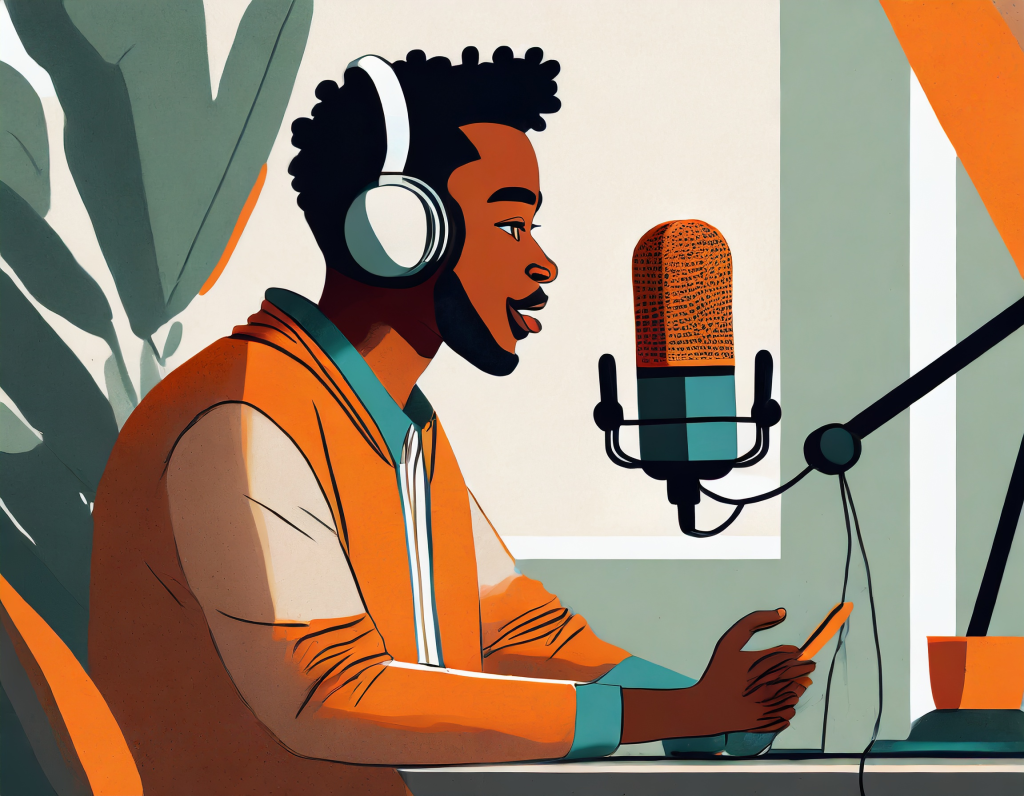
Not too bad — though the Midjourney image is one of my favorites from the platform.
One thing I will have to overcome (potentially) is my VA using Canva to create images for the podcast. But that’s certainly not insurmountable — in-fact, this could be a good forcing function to try some other services, like Banner Bear.
Most likely, if she can’t continue to use her account to access the templates I’ve created, I’ll just have her recreate the templates.
It might be time for a redesign anyway.
