
Announcing Responsive Design with WordPress
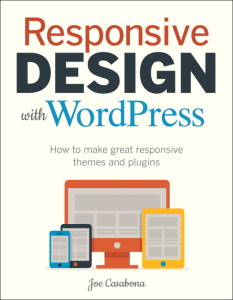 If you’ve been milling around the site lately, or follow me on Facebook, Twitter, Google+, LinkedIn, or Dribbble, you’ll know I’ve been working on a book. Last week I officially launched the site for @NEPABlogCon and I’m happy today to officially announce my second book, Responsive Design with WordPress.
Responsive Design with WordPress shows readers Responsive Web Design principles, as well as how to develop responsively when using WordPress. With a greater push towards mobile and the emergence of Responsive Web Design (RWD), more and more WordPress developers are looking to create responsive themes for their websites. The book goes into detail, covering what default CSS classes WordPress uses and how to handle them when creating responsive designs. It shows how to implement the multiple images sizes and readers will learn to plan responsive layouts for common WordPress templates such as Archives, Search, Comments, how to find responsive friendly plugins, and more.
I got the idea earlier this year when I was doing a lot of work creating responsive themes in WordPress and felt that this would be a great follow up to my first book, Building WordPress Themes from Scratch. I decided to send a proposal to a Peachpit/New Riders (or Voices that Matter), a publisher I deeply respect as they’ve published some amazing works by Jeffrey @Zeldman, Dan Cederholm (@simplebits), Jesse Friedman (@professor), Ethan Marcotte (@beep) and more. I was put in touch with Michael Nolan and am eternally grateful that he has given me the chance to write this book with a fantastic team of people.
The book comes out on December 16th, 2013 – just in time for Christmas 😉 . You can pre-order it at rwdwp.com. Keep an eye out for discounts, giveaways, and more in the coming weeks!
PS- If you’d like me to speak at an event regarding the book or RWD/WP in general. please get in touch.

Heya are using WordPress for your blog platform? I’m new to the
blog world but I’m trying to get started and create my own. Do you require any html coding knowledge to
make your own blog? Any help would be greatly appreciated!