
How To Host A Live Stream (Or Webinar)
One of my goals for 2020 is to do more in front of the camera. I’ve been posting regularly to my YouTube channel. I also want more of my courses to include in-front of the camera work. But beyond that, my intention was to do more live streams, office hours, and webinars. This was true before many of us were faced with putting our normally in-person content online.
Now this is even more important. So here’s how you can affordably host a live stream or webinar. Now I have a whole setup that I’ve put lots of time and money into. But the goal is easily and cost-effectively. So let’s get started.
Live Streaming Gear
There are 3 main components you should have if you’re working on a live stream:
- A mic
- A camera
- and some sort of lighting
The Mic
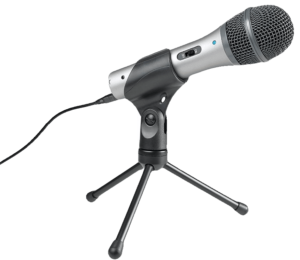
I love talking about microphones and recording gear in general, and I think there are a few options you can go with here. They don’t need to break the bank – they just need to be decent.
- The ATR-2100. This is the mic I recommend to podcasters. It’s affordable, decent quality, and easy to set up.
- The Blue Snowball or Blue Yeti. Blue has been a trusted brand in this space and while they take some configuring, they are a favorite for many.
- A headset. These have surprisingly good quality, and you have a bit more freedom to move around without having to adjust your mic. From what I’ve seen, the Sennhister PC 8, the Logitech H540, and the Jabra Evolve 40 are all good. The first 2 are fantastic prices too.
The Camera
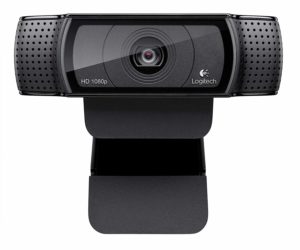
For your camera, you don’t need the best quality ever, but I would recommend 1080p at a minimum, or 4K if you can swing it. If you have a DSLR, you could likely use that too. Here’s how I did it with my Canon Rebel Ti6, and more recently my Sony a6400.
- The Logitech C920 is still the best out there from what I’ve gathered. Looks like it’s sold out on Amazon but you can get on Logitech’s site
- The Logitech BRIO is a nice 4K camera but it’s on the pricy end.
Lighting
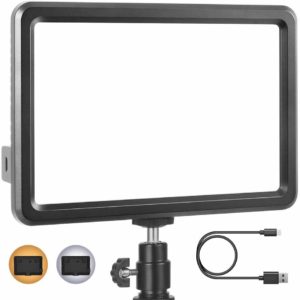
Lighting is important because you want people to be able to see your face. Now I know everyone isn’t going to have the space or budget for 3-point lighting, but there are a few affordable options:
- This RALENO Light is less than $50 and will provide decently lighting on your desk. You’ll need a stand for it, and the Amazon Basics Mini Tripod should be just fine. If you want a little more quality, I’d recommend this by Manfrotto.
- If you want more flexibility for just a little more money, this Neewer 2 Pack should get the job done.
Live Stream / Webinar Software
As for the software side of things, it all depends on what you want. There are TON of options in the webinar space, but I’ll highlight two: Zoom is widely popular for meetings and has a webinar add-on, but I don’t think Zoom Webinars is the best option for most.
Crowdcast is fantastic webinar software and generally what I recommend for people who are looking to regularly host webinars, offer replays, and collect email addresses.
If you’re looking to do regularly Live Streams, there are a few ways you can do it. BeLive is the easiest, and they have a limited free account. It will connect to your YouTube and Facebook accounts, and you can stream to either one.
You can also stream to YouTube and Twitch for free if you know how. I like OBS for streaming – it’s free and full featured, but comes with a learning curve. A couple of tutorials that will help:
- How to live stream on YouTube
- How to live stream on Twitch One last piece of software I’ve heard really good things about but haven’t tried yet is eCamm Live. That said, I think it’s probably overkill if you’re just getting started.
Total Cost: $100 – 400 Depending on Your Setup
All-in-all, you can get started for ~$100 if you have nothing, and the biggest cost will be the webcam. I’d love to answer any questions you have, or hear how you’re running your live streams. Let me know in the comments below!
