
Why I Continue to Choose Airtable Over Notion
I’ve been using Notion more thanks to a little in-person Mastermind I’m planning with friends; to be honest, it’s pretty nice.
I don’t really know my way around Notion, but the co-organizer who set it up absolutely does, and it looks really fantastic. In fact, this is the closest I’ve come to wanting to use it more.
That said, there’s a few reasons why I still continue to choose Airtable over Notion. Don’t worry though, my Notion-loving friends; stick around until the end and I’ll tell you how I can see myself using Notion.
Automations are better in Airtable
We need to start with the elephant in the room: automations in Notion are not very good at all, last I checked.
I can pretty seamlessly send data to and from Airtable, using Zapier, Make, or Airtable’s own built-in automations. I don’t need to go hunting for some ID, or manage access at a weirdly granular level.
In Zapier, I needed to give access at the page or database level for Notion, and I couldn’t get things quite right. I’ll lay some of the blame on myself because Notion’s architecture is inscrutable to me (more on that in a second) because of the way they treat every aspect of the tool as modularly as possible.
This makes Notion a lot of things…but it appears to me there are very few concrete underlying concepts.
Connecting to Make was easier, but something as simple as updating page content is a mess. I can’t just say “tack this text onto the bottom of a page.” Since everything is a discrete block, it seems there’s a lot of info associated with it and I need to format the text first.
That’s likely because of the second reason I have consistently chosen Airtable over Notion.
Notion is having an identity crisis
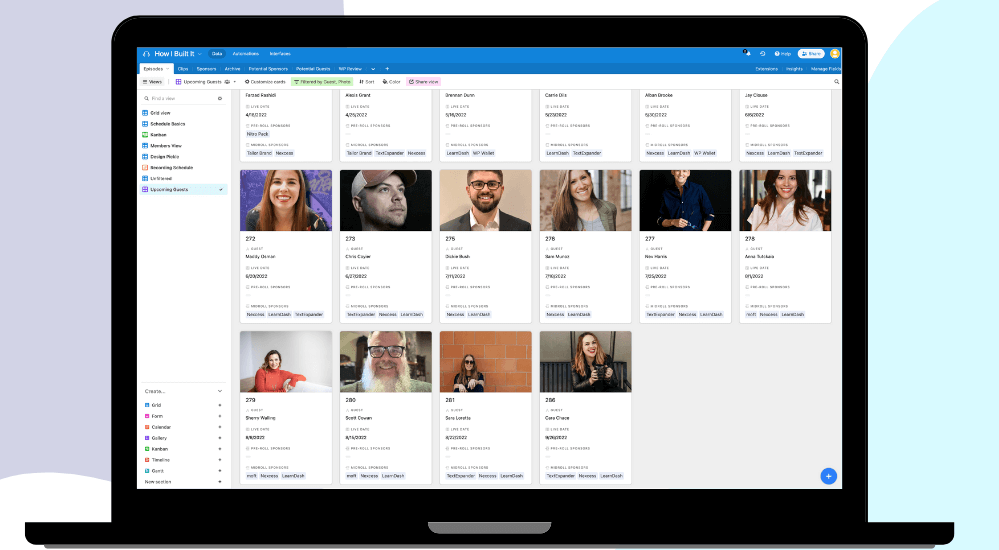
Airtable knows it’s a database. They make it super clear. It looks like one, the concepts all make sense with the traditional definition of a database in computer science.
Working with databases was always my favorite thing as a software developer, and I get to do that very similarly with Airtable.
Notion, on the other hand, has databases full of pages full of blocks, or something like that. They also have projects now?
But each time I use it, I have a hard time understanding what is what. I actually didn’t know how to create a new database without looking it up.
Turns out databases are just tables. Except a database is a collection of interconnected tables.
And therein lies the problem: is Notion a database or is it a notes app?
It’s kinda both and anything else. And for me, I need separate things. Airtable is my database. Bear and Craft are my notes apps.
…for now.
My entire podcast and content operation is in Airtable
Finally, there’s the technical debt of my operation. Nearly everything I do runs through Airtable in some way, shape, or form. And I’m very happy there, so why would I move?
Moving means I’d need to update all of my automations, re-architect all of my bases to fit into Notion’s world view, and redo all of the SOPs my VA currently uses.
Unless Airtable implodes tomorrow, there’s really no reason for me to move.
There is one place where I think Notion might be worth it.
Where I do Think I Could Use Notion
You may have gathered that I think Notion is closer to a notes app than a database. It’s kind of a high-powered notes app.
And while I love Craft, there’s literally no web-based automation I can do with it.
Come to think of it, I haven’t even received an updates email from them in a while.
But since Notion is web based, has native apps, and has some semblance of automation support, I think it could be a good Craft replacement for me.
Basically, it will be my digital notebook/journal, in the same way I’m using Craft now.
Moving from Craft wouldn’t be such an arduous task because it’s basically just text files (some images, etc).
The main things I use Craft for, like sharing, I can also use with Notion.
Plus it makes my sawdust more valuable. Far more people would like Notion templates than Craft templates.
So it’s something to think about.
What do you use for note taking? Are you a Notion fan? Send me your best tips!

One Comment
Comments are closed.