
|

How to Easily Search Your Tweets in Chrome

Since moving back to Chrome, I’ve missed some of my custom searches in the Keyword Search extension for Safari, despite having the same support in TextExpander. It just didn’t feel as fast as native browser support.

Luckily, Chrome’s search shortcuts are fantastic and super easy to manage from chrome://settings/searchEngines1.

Did you know you can do this basically any website and combination of search terms?

One I set up recently was for my own tweets. Here’s how it’s done.

After you click on the link above (chrome://settings/searchEngines), add a new Site search:

Note: Clicking the link doesn’t always work. Copy and paste this into the URL bar: chrome://settings/searchEngines
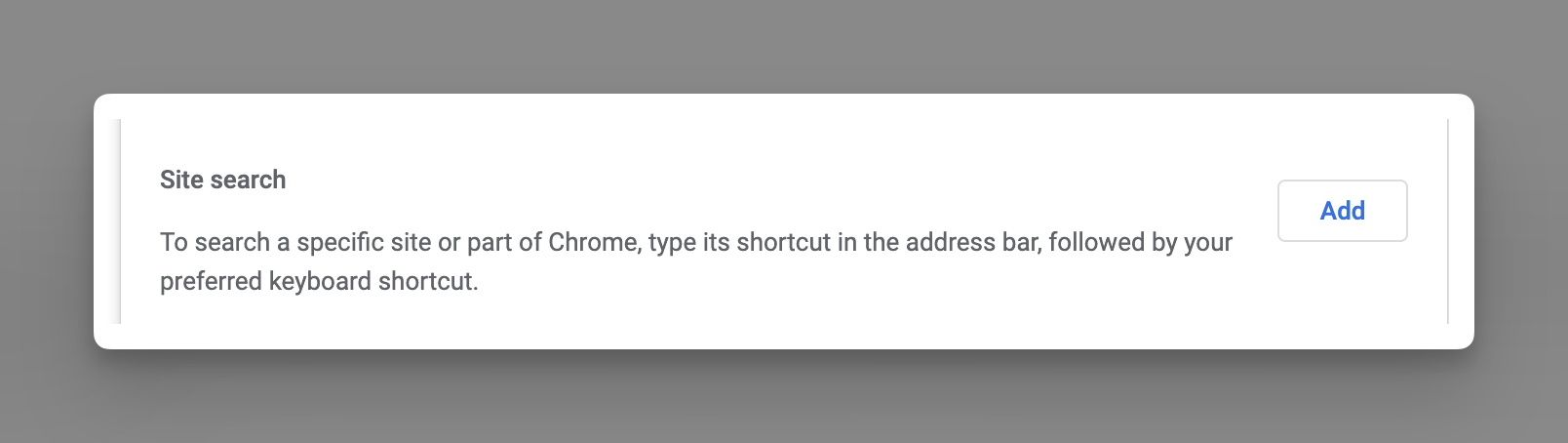
Then fill out the pop up with the following info:
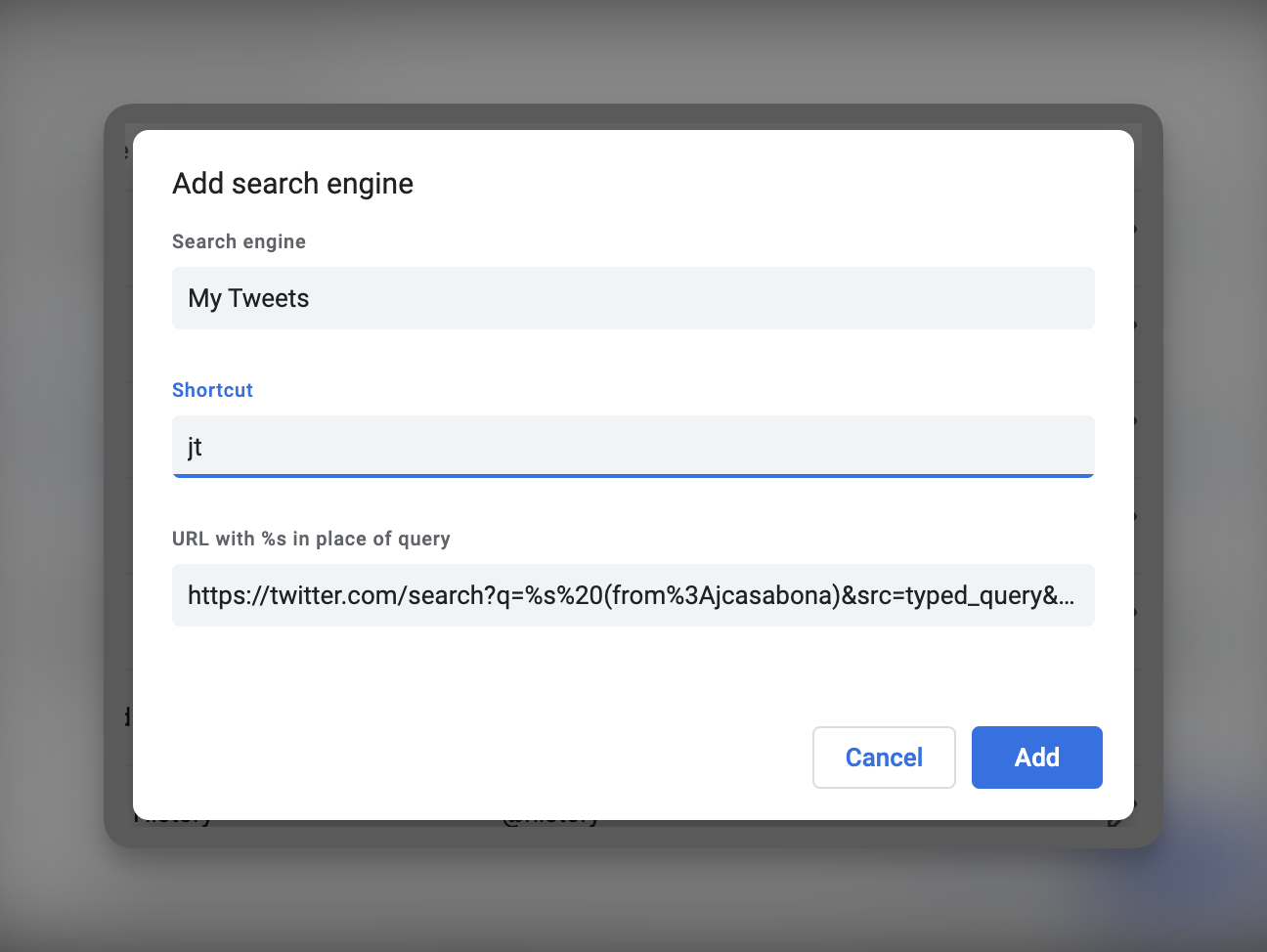
I made the shortcut tw for Twitter. Use whatever you’d like!

The URL you need to list is:

https://twitter.com/search?q=%s%20(from%3AYOURUSERNAME)&src=typed_query&f=live

Just make sure to replace YOURUSERNAME with your Twitter handle.

Then click “Add.”

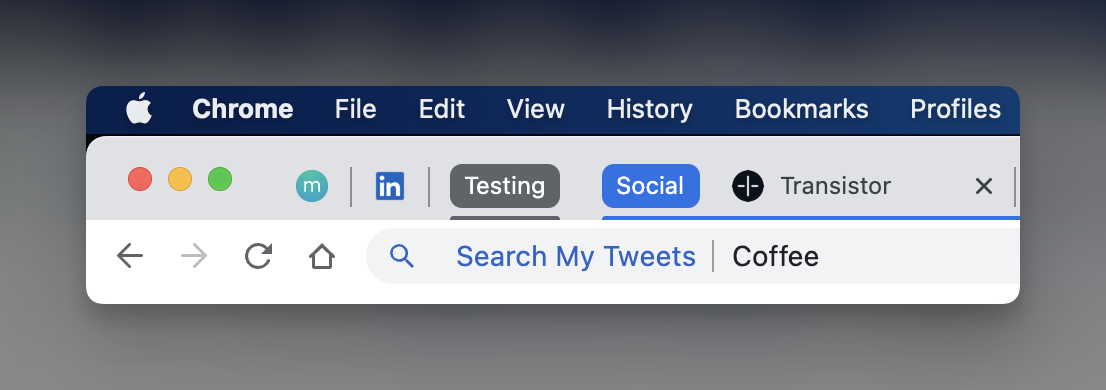
After that, you should be able to use the the shortcut you chose in the Chrome search bar:
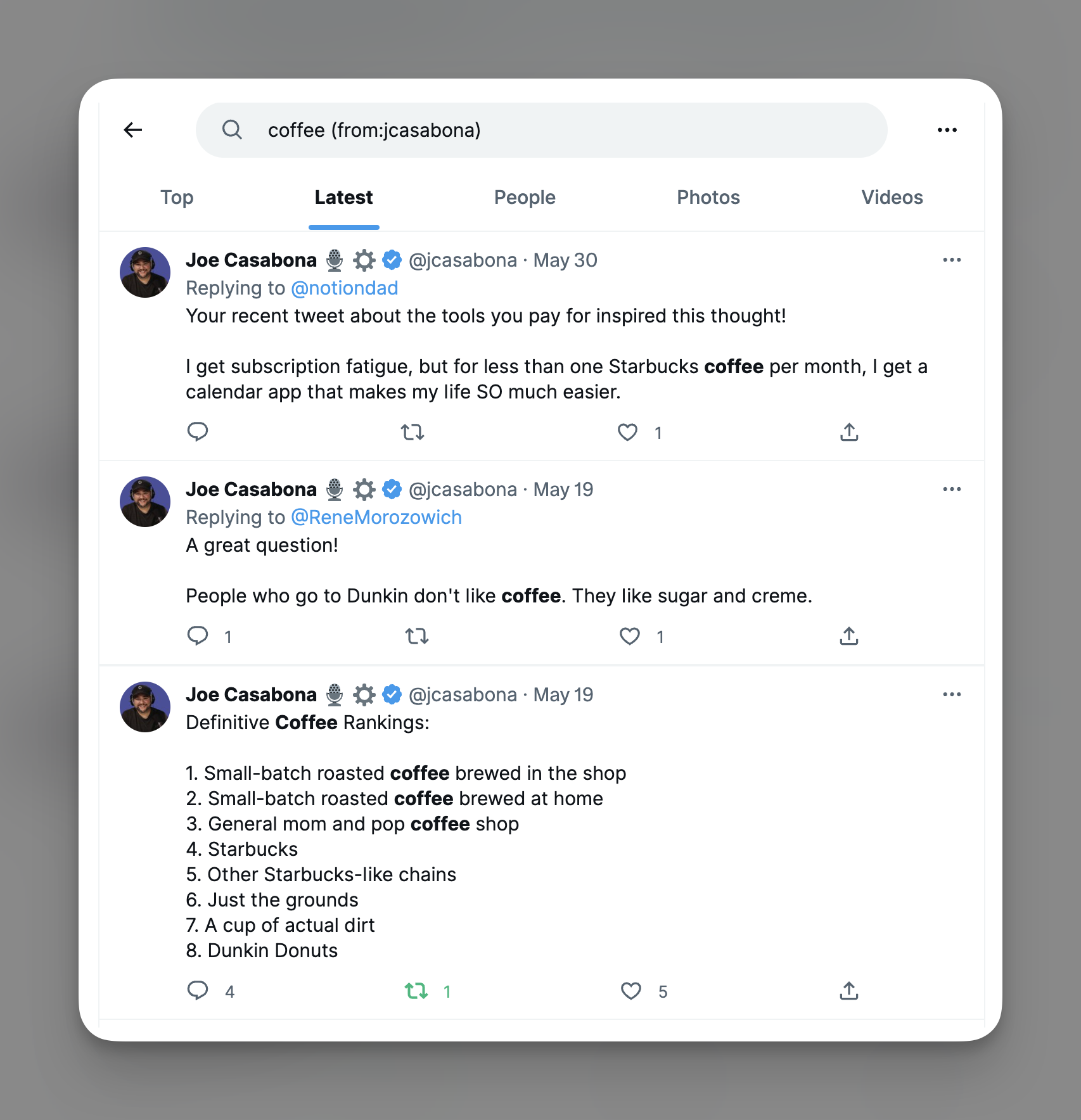
…and the results:
That’s it! Happy searching!

  1. This link will only work if you’re in Chrome right now. ?

Similar Posts

  • How to get Keyword Search for Safari Anywhere with TextExpander

    I do a lot of searching directly from the address bar in whatever browser I happen to be in (usually Safari), so anything to make that process faster would be super swell. A while back, I learned about the Safari Keyword Search Extension from Six Colors, and decided to give it a try. It is incredible! But what if you don’t use Safari?

  • Quick Tip: Check to See if a Slug Exists in WordPress

    Recently I was doing some work where I was importing RSS entries into a Custom Post Type in WordPress. Since there were no common IDs between the feed and WordPress, to prevent duplicate entries I tried comparing titles. This also proved to be an issue as titles aren’t always unique, and they weren’t in this…

  • |

    SOP for Publishing my Daily, Mini Podcast

    I like to imagine that when Thomas Jefferson finished writing the Declaration of Independence, he sat back in the swivel chair he invented, smiled, and sighed a big sign of relieve. The same thing goes for when Walter Cronkite finished his first TV broadcast, JK Rowling finished Harry Potter and the Goblet of Fire, and…

  • | |

    Can You Become a Coder with ChatGPT?

    When I was in college, I was pretty smug about certain things — like people getting degrees they’ll never actually use. Philosophy came to mind, a lot. Nearly 20 years on, two things are true about me: The fact that I’m not using my Master’s hasn’t always been true. I taught Computer Science at the…

  • |

    SaneBox Keeps my Inbox Clear and my Heart Rate Down (Friday Toolkit Preview)

    I’ve been thinking of doing something like this for a while, but haven’t pulled the trigger. I want to thank SaneBox for partnering with me to push me over the edge. This first edition of The Friday Toolkit is brought to you by them; I chose SaneBox as the partner because I’ve been using them all year and am a huge fan. I’m excited to share a little bit more about them.